🎁 Buy 2 kits, get the 3rd FREE · Free shipping on every order

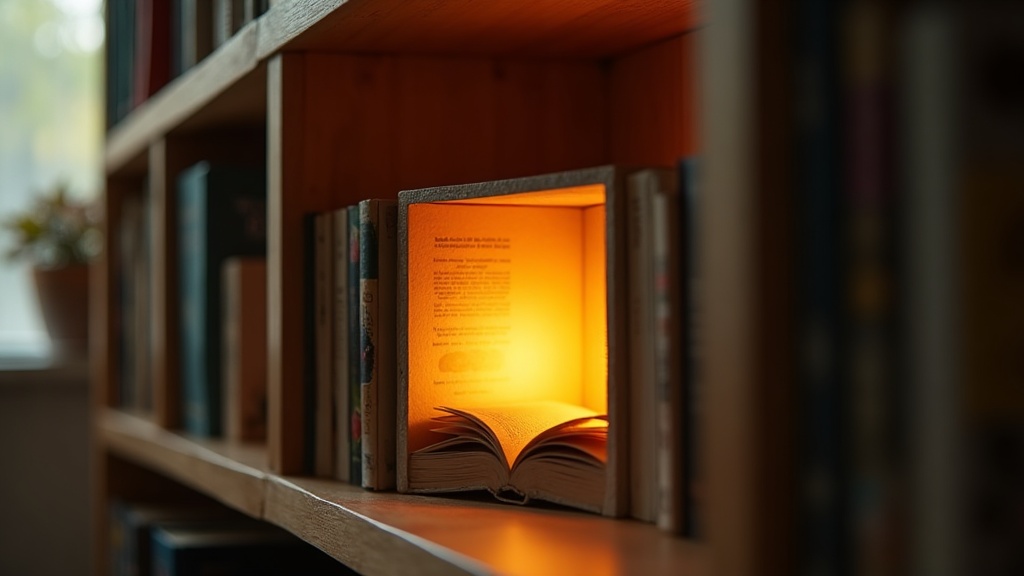
How to Photograph Your Book Nook: Lighting, Angles, and Smartphone Tricks
A practical, technique-driven guide to photographing book nooks at home using only a smartphone. Covers lighting setups, camera settings, composition angles, quick editing adjustments, and tips for capturing the build process for social media.

You spent weeks building it. You glued the tiny lanterns, painted the brick walls by hand, and stayed up past midnight arranging the miniature books on their shelves. And now your book nook is sitting on a shelf looking absolutely magical, and your phone photos do not come close to capturing it. That gap between what your eyes see and what the camera produces is frustrating, but it is completely fixable. A few targeted techniques make all the difference between a blurry snapshot and a photo that stops people mid-scroll.
These are the exact methods I use to photograph our kits before they go on the site, adapted so you can recreate them with gear you already own. No DSLR required. No photography degree either. And once you get into it, the process of framing that tiny world turns out to be just as meditative and satisfying as the build itself.
Understanding Light: The Single Biggest Variable in Book Nook Photography
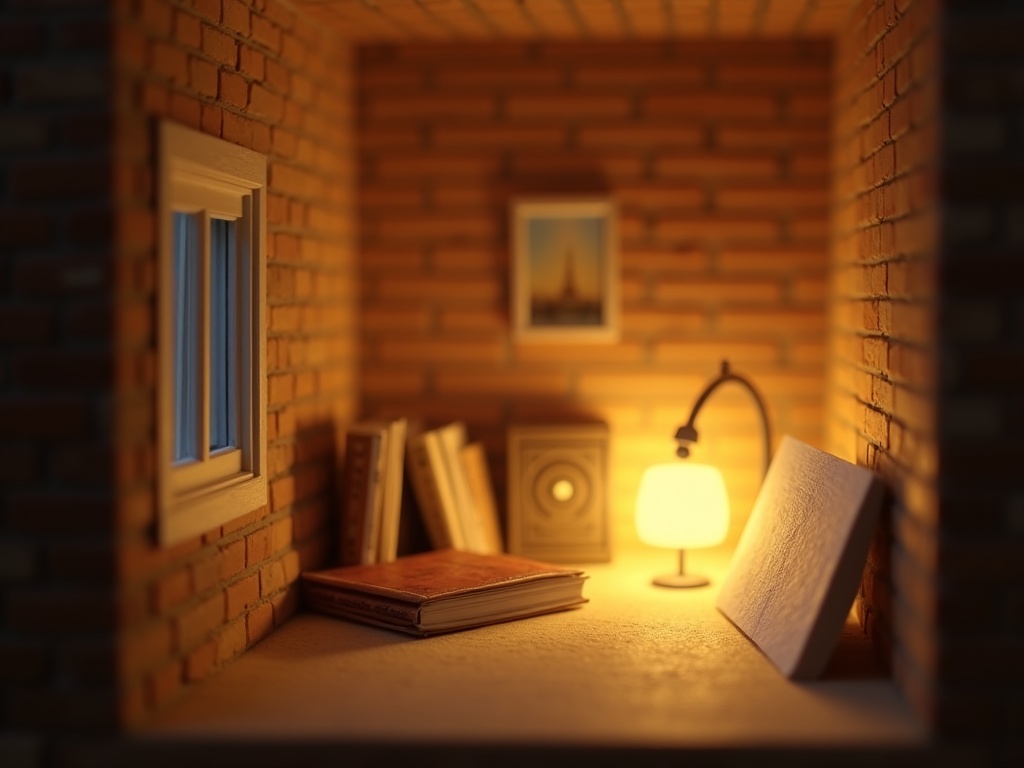
Light is where most book nook photos succeed or fail. The kits are small, often deep, and packed with detail. A single harsh overhead light flattens all that texture and creates hot spots that blow out your tiny LED bulbs.
Natural Light vs. Built-In Nook LEDs
How to photograph your book nook starts with understanding the relationship between two completely different light sources: the natural light outside your window and the warm amber glow of the built-in LEDs inside the scene. Getting these two to cooperate is the whole game.
Natural window light is soft and directional. Place your book nook at roughly a 45-degree angle to a north-facing or east-facing window (soft, indirect light, not direct sun). You want the light to rake gently across the facade so the depth of the shelves, the recessed doorways, and any texture on the walls all cast tiny shadows. Those shadows are what make the scene feel three-dimensional in a flat photo.
Direct sunlight is almost always too harsh for miniature photography. It creates deep contrast that the phone sensor cannot handle, and it washes out the warm glow of built-in LEDs. If sunlight is all you have, diffuse it: tape a single layer of white tissue paper or tracing paper to the window. The effect is genuinely remarkable.
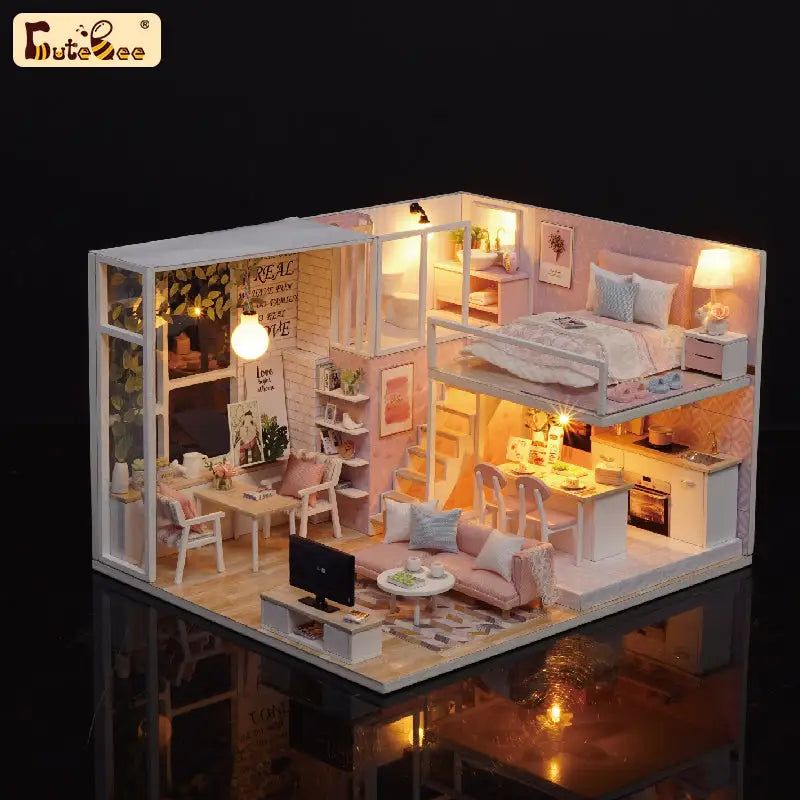
The Tranquil Life kit is a good example of why this pairing matters so much. Its warm interior lanterns look completely different under harsh overhead light (flat, blown-out) versus raking window light (dimensional, glowing). One setup takes 30 seconds to arrange; the results look like two different kits entirely.
Bestseller cottage kit
Tranquil Life DIY Miniature House Kit
One of our most-photographed builds, with 5 interior LED zones to balance
$67.90
The built-in LED string lights that come with most kits are beautiful to the naked eye. In photos, they can easily overexpose and appear as blown-out white blobs. The fix: shoot in a semi-darkened room with a single supplemental soft light source on one side. This keeps the LEDs visible as warm amber points rather than white flares.
Choosing Your Light Source: A Quick Comparison
Not sure which lighting approach suits your space? Here is how the three most common options actually compare in practice:
| Light Source | Cost | LED Glow Compatibility | Best For | Main Limitation |
|---|---|---|---|---|
| Natural Window Light | Free | Excellent | Soft, dimensional shots; daytime builds | Time-dependent; weather varies |
| Small Ring Light (6 in.) | $15-$25 | Good with warm setting | Consistent results any time of day | Can create circular catchlights on glass |
| DIY Foam Board Reflector | Free | Excellent (pairs with window) | Filling shadows on the unlit side | Needs a primary light source to work |
Affordable Supplemental Lighting That Actually Works
A small ring light (6-inch diameter, around $15-$25) positioned to the side and slightly above the nook gives you control that window light cannot always provide. Set it to its warmest color temperature (around 3000K) to complement the amber glow of the built-in lights. Keep it at least 18 inches away to avoid harsh shadows inside the nook’s interior.
A folded piece of white foam board placed opposite your light source acts as a free reflector. It bounces light back into the darker side of the scene and lifts shadow detail without adding a second light. Professional food photographers use the same trick. It works identically for miniature architecture.
📜 Did you know?
The craft of miniature room building dates back to 17th-century Germany, where wealthy families commissioned intricate Puppenhäuser (baby houses) as display pieces rather than toys. Those original builders faced the same challenge you do: tiny interior spaces with deep shadows that are hard to illuminate evenly. They used real candles for display. We have it easier, and the community of makers working through the same puzzle today is genuinely enormous. Whenever you share a lighting solution that clicked for you, you are adding to four centuries of collective craft knowledge.
The craft of miniature room building dates back to 17th-century Germany, where wealthy families commissioned intricate Puppenhäuser (baby houses) as display pieces rather than toys. Those original builders faced the same challenge you do: tiny interior spaces with deep shadows that are hard to illuminate evenly. They used real candles for display. We have it easier, and the community of makers working through the same puzzle today is genuinely enormous. Whenever you share a lighting solution that clicked for you, you are adding to four centuries of collective craft knowledge.
Smartphone Camera Settings That Change Everything
How to photograph your book nook with a smartphone comes down to understanding three settings that most people never touch: exposure lock, focus lock, and white balance.
Tap to Focus and Lock Exposure
On both iOS and Android, a long press on your subject locks focus and exposure simultaneously (look for the “AE/AF Lock” indicator on iPhone, or the sun icon on Android). For book nooks, tap on the mid-ground of the scene, not the front facade. You want the interior details sharp. Once locked, slide the brightness slider down slightly if the LEDs still look blown out. A small underexposure that you can brighten in editing is far better than a highlight you cannot recover.
Explore the collection
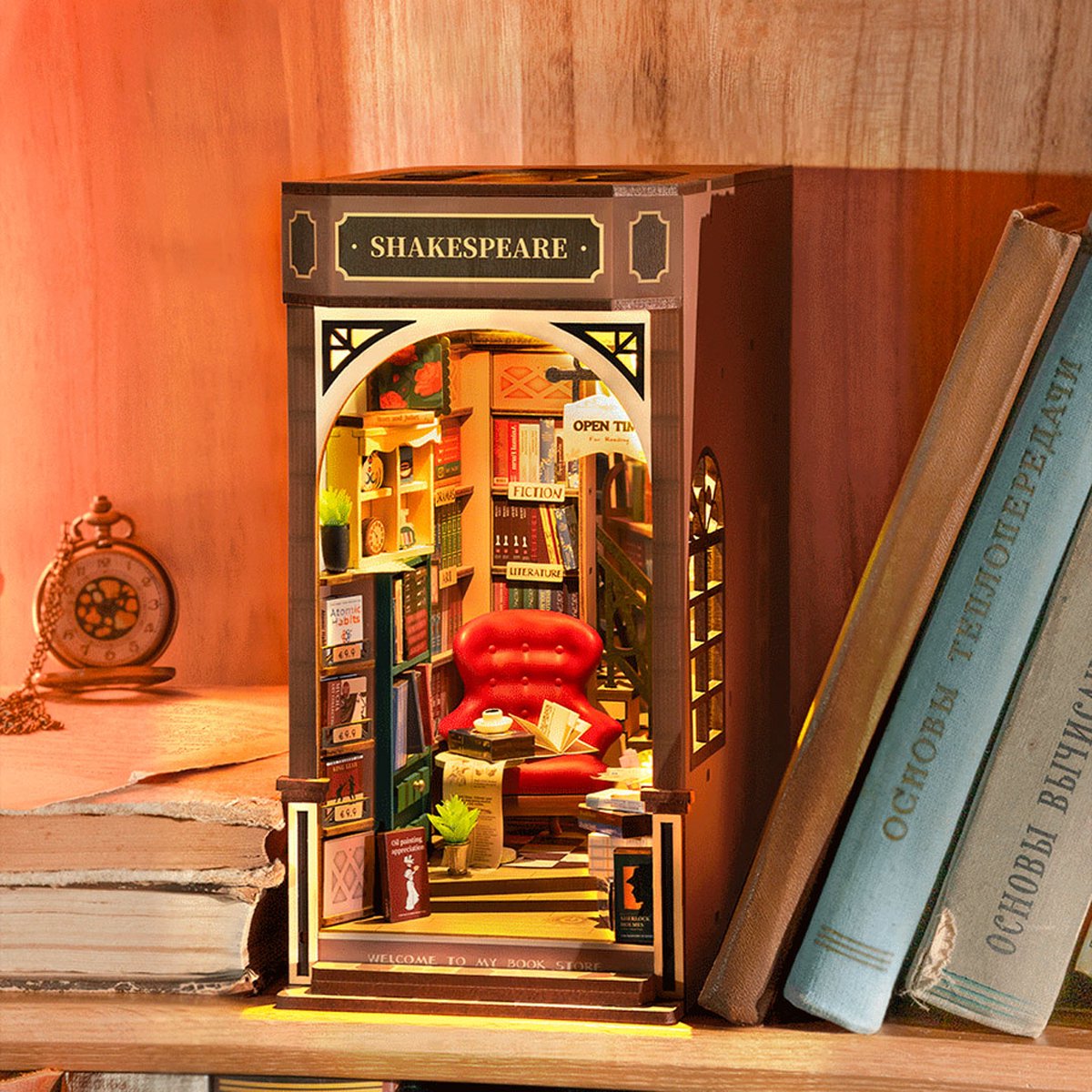
All Book Nook Kits
76 handcrafted book nook kits
Each kit comes with its own built-in LED system, making lighting balance your most creative variable.
Portrait Mode: Use It Carefully
Portrait mode (available on most phones made since 2020) creates a shallow depth-of-field blur that mimics professional camera lenses. For book nooks, this can look stunning when you focus on the interior and let the front arch blur gently. However, portrait mode struggles with the very small distances involved in miniature photography. Test it, but do not force it. If the AI blur looks artificial, switch to standard photo mode.
Pro Mode and Manual ISO
If your phone has a Pro or Manual mode (Samsung Galaxy, Google Pixel, many others), use it. Set ISO as low as possible (ISO 50-100) to minimize digital grain. Compensate by using a slightly longer shutter speed, which means you absolutely need a stable surface or small tripod. Even a $12 flexible mini-tripod removes hand shake and produces sharper results than any software trick.
✨ Hannah’s tip
Stack a few hardcover books behind your phone to create a makeshift tripod on any surface. Wedge the phone between the covers so it stays perfectly still, set a 2-second timer (no shake from pressing the button), and you get consistently sharp shots without spending a cent. I use this trick constantly at craft fairs when I forget my actual tripod.
Stack a few hardcover books behind your phone to create a makeshift tripod on any surface. Wedge the phone between the covers so it stays perfectly still, set a 2-second timer (no shake from pressing the button), and you get consistently sharp shots without spending a cent. I use this trick constantly at craft fairs when I forget my actual tripod.
💬 From the community
“I had been struggling for months to get my Greenhouse kit to look right on camera. The tip about tapping the mid-ground to lock focus and then dragging the brightness slider down was a complete game-changer. My next shot looked like a magazine cover.” — Sara M., verified builder
“I had been struggling for months to get my Greenhouse kit to look right on camera. The tip about tapping the mid-ground to lock focus and then dragging the brightness slider down was a complete game-changer. My next shot looked like a magazine cover.” — Sara M., verified builder
Builders in our community share finished photos and techniques every week. Tag your photos and join the conversation; the collective knowledge in this group is genuinely impressive.
Angles and Composition: Finding the Shot That Tells a Story
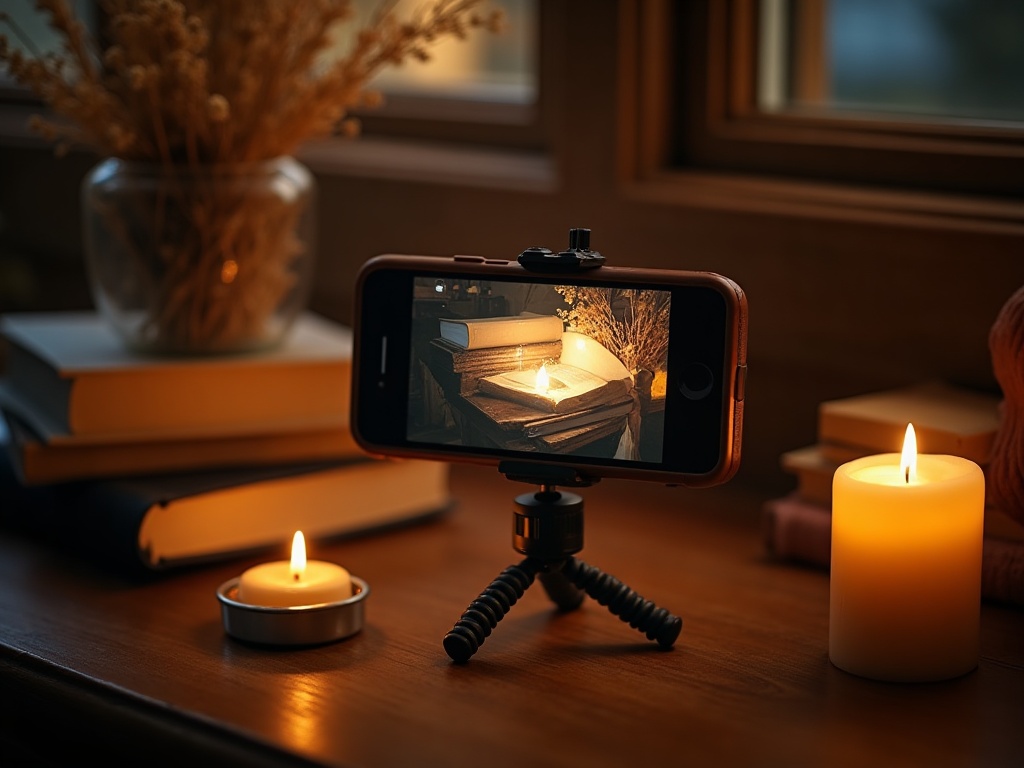
The angle you choose communicates the whole story of the scene. Most first attempts come from a standing adult looking slightly downward, which flattens everything and removes the sense of architectural scale. Try these instead.
Eye-Level With the Nook’s Interior
Get your camera lens exactly at the height of the scene’s mid-point. For a standard book nook inserted between two real books on a shelf, that means crouching down or placing the nook on the floor. This perspective makes the viewer feel like a tiny person standing in front of the scene. It is the most immersive angle, and it is the one most likely to perform well on Instagram and Pinterest.
The Sun Room kit rewards this angle especially well. Its wide front opening and layered interior depth create a genuine sense of looking into a real room when photographed at eye level. Shoot it from above and it loses almost all of that magic.
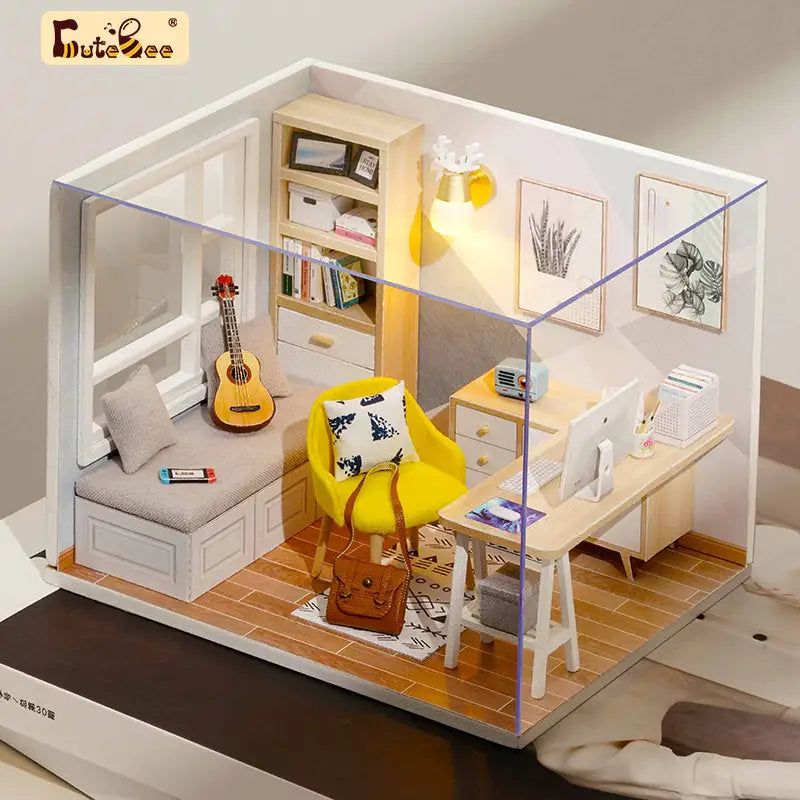
Easy starter under $50
Sun Room DIY Miniature House Kit
Wide-open facade makes it one of the most photogenic beginner kits we carry
$49.99
The Three-Quarter Angle
Position the camera at roughly 30-45 degrees to the side of the facade, still at eye level. This reveals depth inside the nook and shows the relationship between the front and the interior simultaneously. It is ideal for kits with elaborate interiors like multi-room layouts or spiral staircases, where a straight-on shot misses most of the detail.
Styling the Context
What surrounds your book nook matters. Real books on either side give scale and context. A small cup of tea, a reading candle, or a few fallen autumn leaves placed near the base add narrative without distracting from the nook itself. Keep props within the same warm color palette as the kit. Cool-toned props (blue, grey, silver) fight visually with the amber LEDs and make the whole image feel disjointed.
If you built one of our book nook kits, the packaging color palette is actually a good reference guide for complementary styling props. The muted earthy tones work beautifully with aged paperback spines, dried flowers, and warm-toned ceramics.
Editing on Your Phone: Fast Adjustments With Maximum Impact
Raw (unedited) smartphone photos almost always need at least small adjustments. The good news: free apps do the job well, and the whole process takes under three minutes once you know which sliders to move.
The Four Adjustments That Matter
- Highlights: pull down. This recovers blown-out LED areas and brings back detail in bright windows or light sources inside the scene. Move this slider left until the light sources look like warm glowing orbs rather than white patches.
- Shadows: lift slightly. Push shadows up just enough to reveal detail inside the deepest parts of the nook without making the image look flat. 15-25% is usually enough.
- Warmth/Temperature: push slightly warm. A small shift toward amber (around +10 to +20 on most apps) ties the overall image to the warm LED glow and makes the whole photo feel cohesive.
- Clarity or Texture: add a touch. This micro-contrast adjustment sharpens fine details like book spines, brick texture, and miniature furniture without making the image look over-sharpened.
✨ Hannah’s tip: edit order matters
Always pull Highlights down first, before touching anything else. Once you recover the LED glow from blown-out white back into warm amber, the entire image often snaps into balance on its own. Only then add warmth and a touch of clarity. Editing in the wrong order can send you chasing your tail through five unnecessary adjustments.
Always pull Highlights down first, before touching anything else. Once you recover the LED glow from blown-out white back into warm amber, the entire image often snaps into balance on its own. Only then add warmth and a touch of clarity. Editing in the wrong order can send you chasing your tail through five unnecessary adjustments.
The Miniature Greenhouse kits present a particularly satisfying editing challenge. The glass panels catch light differently than the surrounding structure, so a polarizing filter at the shooting stage (or a careful highlights recovery in editing) makes those panels look realistic rather than reflective. If you are working through the LED lighting guide alongside this article, the editing and lighting sections reinforce each other nicely.
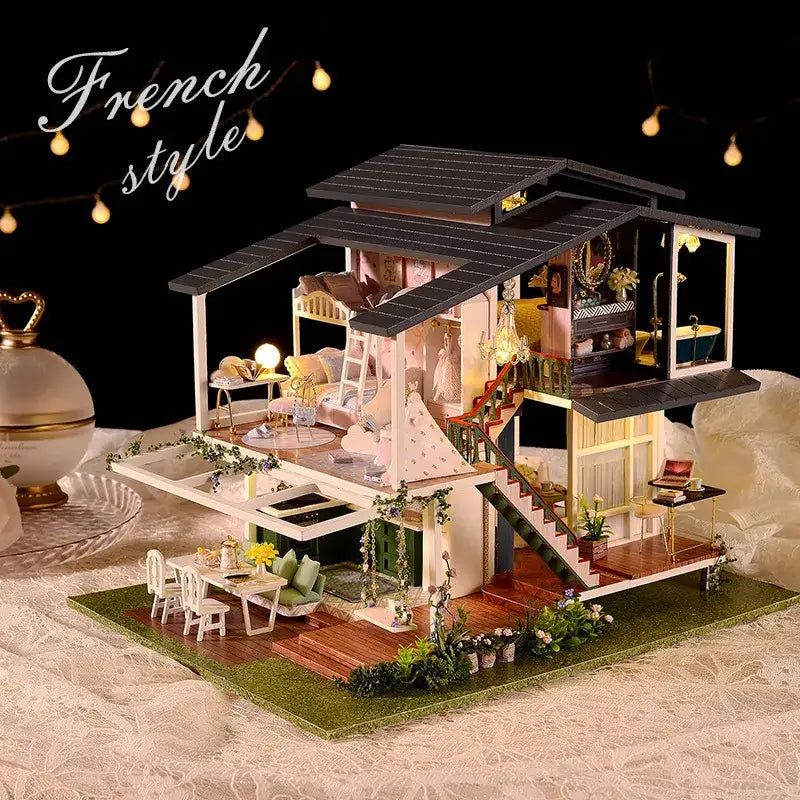
Rare in the niche
Miniature Greenhouse Kits
22 LED-lit greenhouse builds, each with glass panels that reward careful editing
Apps worth using: Lightroom Mobile (free version is excellent), Snapseed (completely free, powerful curves tool), and VSCO (great film-style presets that work well for warm interior scenes). Avoid heavy Instagram filters applied at 100% strength. Reduce any filter you use to 40-60% opacity for a more natural result.
Cropping for Instagram vs. Pinterest
Instagram favors a 4:5 portrait ratio for feed posts (1080 x 1350 pixels). Pinterest performs best with a 2:3 ratio (1000 x 1500 pixels). Both favor a taller crop that places your book nook in the lower two-thirds of the frame with some styled context in the upper portion. For Stories and Reels, a 9:16 vertical crop with the nook centered and blurred bokeh background (achieved in editing apps like Snapseed’s “Lens Blur” tool) creates a cinematic look that consistently gets saved and shared in craft communities.
Capturing the Build Process, Not Just the Finished Piece
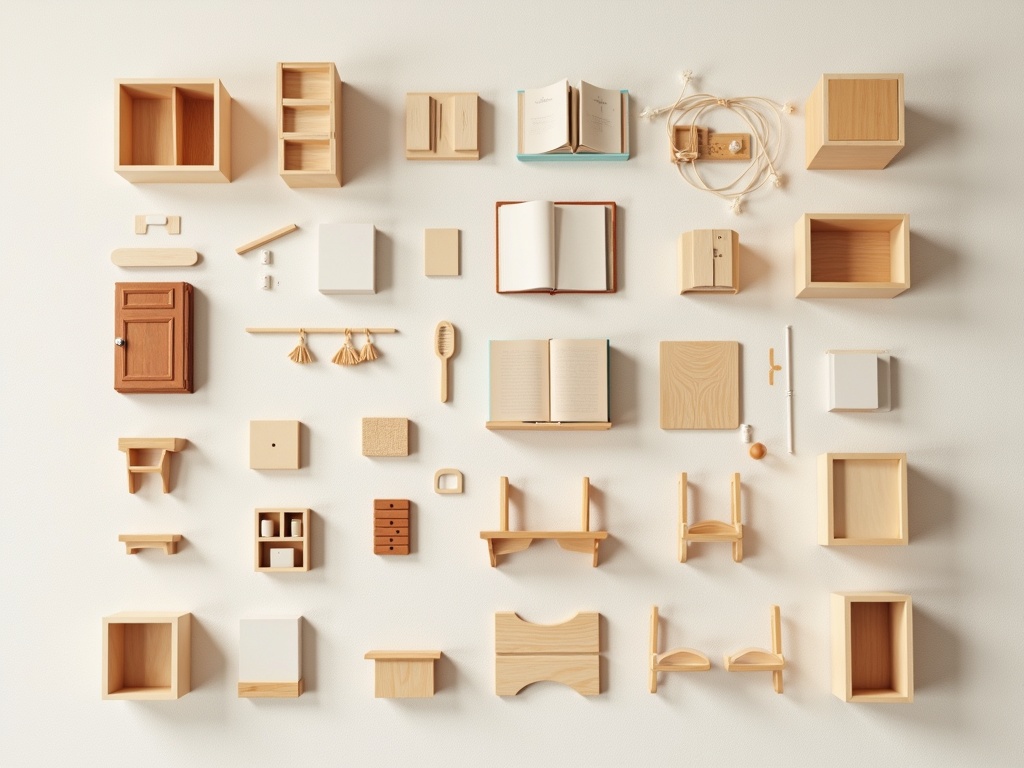
Some of the most-shared content in our community does not show the finished kit at all. It shows the process: a flat lay of all the components before assembly, a close-up of freshly painted walls drying on a piece of wax paper, the moment the LED lights are tested for the first time. These in-progress photos resonate because they honor the time and care that goes into building.
There is something genuinely meditative about pausing mid-build to document what you have made so far. The same slow attention that makes miniature work satisfying, the care you give to a 2mm door hinge or a hand-painted floorboard, translates directly into finding the interesting angle, the telling detail, the shot that shows just how much work went into one small square inch of scene. Many builders in our community say that photographing their in-progress work actually deepens their enjoyment of the build itself. The camera makes you slow down and look more carefully, which is never a bad thing.
For flat lays of components, use natural window light from directly above and arrange parts by category (walls, furniture, lighting, accessories) with small gaps between each group. A neutral background (white foam board, raw wood, light linen fabric) keeps the focus on the pieces. These shots pair beautifully as carousel posts alongside the final glamour shot.
If you are sharing your build on social media, check out our full kit collection for project ideas that other community members are currently building. Tagging your finished photos and using a consistent hashtag helps your work get found by fellow builders who can offer tips, encouragement, and genuine appreciation for the hours you put in.
For builders interested in lighting specifically, our guide to book nook LED lighting covers how to customize and layer light sources beyond the standard kit wiring. And if you are still choosing your next project, the best book nook kits for beginners post walks through difficulty ratings and what each kit includes, so you can match the build complexity to your current skill level.
Premium collector piece
Monet’s Garden DIY Miniature House Kit
One of the most complex and rewarding builds in the collection to photograph
$155.00
Frequently Asked Questions about Photographing Book Nooks
Everything you might be wondering, including questions we hear most from our builder community (click a question to expand).
What is the best time of day to photograph a book nook near a window?
Early morning or late afternoon light (roughly 7-9am or 4-6pm depending on your season) gives the softest, most directional natural light. Midday sun is too harsh and too vertical. Overcast days are actually ideal: the clouds act as a giant natural diffuser and give you even, shadow-free light that works beautifully for close-up miniature photography. Many builders in our community specifically wait for grey-sky days before shooting their finished pieces.
My built-in LEDs always look blown out in photos. How do I fix this?
Dim the room slightly and reduce your camera’s exposure by tapping on the scene and dragging the brightness slider down before shooting. In editing, pull the Highlights slider all the way left first before touching any other adjustment. If the LEDs are still overexposing, consider photographing with the LEDs on a dimmer switch or by adding a tiny piece of warm-tinted translucent tape over the bulbs to reduce intensity. This is one of the most common questions we get from builders, and the Highlights-first editing sequence solves it in the majority of cases.
Do I need a special macro lens attachment for small details?
A clip-on macro lens (available for $10-$20 online) helps for extreme close-ups of fine details like miniature book spines or painted stonework. That said, most phones made in 2022 or later have built-in macro modes that work adequately. Test your phone’s native capabilities first before buying accessories. Our builders who share the sharpest detail shots are usually using native macro mode rather than add-on lenses.
How do I reduce reflections on painted surfaces or glass panels in the nook?
A circular polarizing filter (CPL) designed for smartphone lenses cuts reflections almost entirely. They cost $15-$30 and clip onto any phone. Alternatively, shift your light source angle by small increments until the reflection disappears from your screen before shooting. Sometimes a 5-degree adjustment is all it takes. This is especially relevant for Miniature Greenhouse kits, where glass panels are a central feature of the scene.
How do I share my book nook photos to connect with other builders?
As of 2026, the most active communities gather around tags like #booknook, #booknookinsert, #miniaturebooks, #dioramaart, #shelfie, #bookshelfgoals, and #miniaturebuilding. Using 5-8 specific niche tags outperforms using 30 generic ones. Your niche audience engages at a much higher rate than a broad crafting audience, which tells the algorithm your content is genuinely valuable to the people seeing it. Tagging the kit name and mentioning your build time in the caption tend to spark the most genuine conversations with fellow makers.
What is the single most impactful change a beginner can make to their book nook photos right now?
Get your camera to eye level with the scene. This one change, which costs nothing and takes 10 seconds, transforms a flat record shot into something immersive and compelling. Every other technique in this guide builds on top of this foundation. If you do nothing else today, crouch down and shoot from the nook’s mid-point height. The difference is immediately visible and consistently surprises new builders the first time they try it.
Building a Photo Habit as Satisfying as the Build Itself
Photographing your book nook is not a chore tacked onto the end of a project. It is its own creative act, a chance to see the tiny world you built through a different lens (literally). The meditative focus of miniature building carries directly into the patience and attention of miniature photography. The slow, quiet pleasure of finding the perfect angle, of waiting for the light to shift just right, of editing until the LED glow looks exactly as warm as it does to your eye: all of that feels like an extension of the craft rather than a separate task. You are already wired for it.
Start with one good light source, one stable camera position, and one honest edit. The techniques above are a toolkit, not a checklist. Use what fits your setup and your style. Over time, you will develop your own visual signature for the scenes you create, and that is when the photos start to feel as personal and handcrafted as the kits themselves.
How to photograph your book nook well is ultimately a practice of paying attention, the same quality that makes someone a good builder in the first place. Trust that instinct. The community of makers who share their work every week is proof that the photos are worth taking seriously.
Ready to build your next scene? Browse our complete book nook kit collection and find the project that earns its spot on your shelf, and in your camera roll.